Block-based Calculation Management
- Calculation blocks: enter formulas or values and compute (blocks containing expressions can act as variables)
- Operator blocks: connect calculations using +, -, ×, ÷
- Title feature: add notes to individual blocks
Block-style calculator app

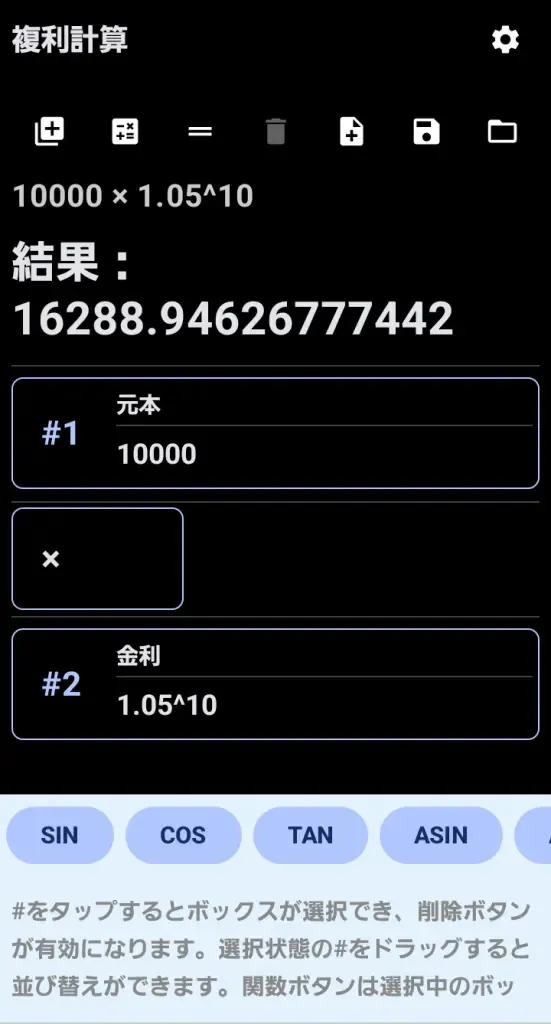
CariBloc is an innovative block-style calculator app that lets you visually organize and manage multiple calculations at once. Features like saving and reusing calculation processes—something traditional calculators can't do—and the ability to use expressions as variables make complex math more efficient. The interface is optimized for smartphones with an Excel-like feel: tap to select, drag to reorder.
Block #1: Groceries → 3500
Operator: +
Block #2: Supplies → 1200
Operator: +
Block #3: Transport → 800
Result: 5500

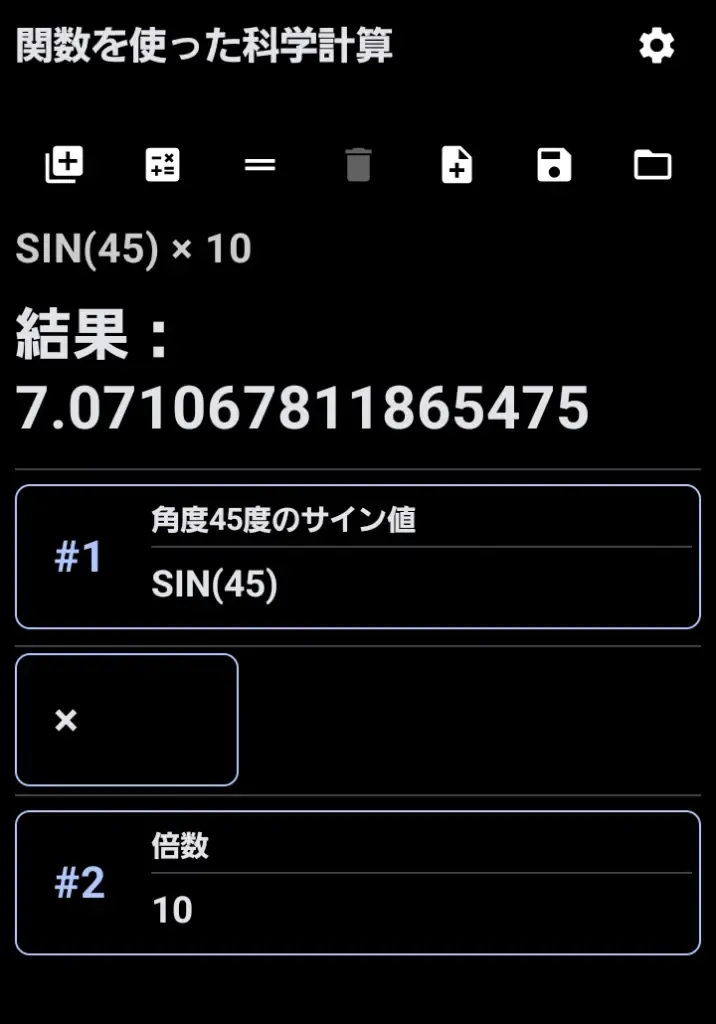
Block #1: SIN(45) → sine of 45°
Operator: ×
Block #2: 10 → multiply by 10
Result: 7.071067811865475
Block #1 10000
Block #2 0.10
Block #3 #1*(1+#2)
Result: 11000
Blocks are automatically numbered (e.g. #1). Calculations can reference earlier blocks as variables for more complex formulas.

| Icon | Function / Description |
|---|---|
 |
Add calculation block: tap + button |
 |
Add operator block: choose + - × ÷ from menu |
 |
Delete block: tap number and use delete button |
 |
Execute calculation |
 |
Add new page: tap + button |
 |
Save: specify file name to store |
 |
Open: select .cari file from menu |
| Android | Android 10 or later (Android 12+ recommended) |
|---|